
AI Automation works best in real teams when it removes repetitive work without forcing everyone to relearn how they operate. If your processes already “work,” the fear is usually not whether automation is possible, but whether it will quietly break handoffs, approvals, security rules, or accountability.
This is why many US teams start with narrow, high-frequency tasks: summarizing updates, routing requests, prepping drafts, reconciling spreadsheets, or extracting data from messy documents. You get wins fast, but you keep the existing workflow shape intact.

Below is a practical guide to AI workflow automation that respects reality: legacy tools, compliance constraints, and people who do not have time for yet another platform. We’ll cover how to choose the right starting points, where intelligent process automation fits, and what a safe rollout looks like.
What “AI Automation” really means in day-to-day operations
In practice, teams use AI in automation in three common ways, and mixing them up is where projects get messy.
- Assisted automation: AI drafts, suggests, classifies, or summarizes, and a human confirms. Great for speed without losing control.
- Rule-plus-AI workflows: deterministic steps (routing, SLAs, approvals) combined with AI steps (extract entities, match vendors, detect duplicates).
- Autonomous task automation: an agent completes a bounded task end-to-end, with guardrails and logging. Useful, but higher risk if scope is vague.
According to NIST (National Institute of Standards and Technology), trustworthy AI requires attention to reliability, transparency, and accountability. In operations terms, that translates into: clear ownership, auditable actions, and predictable failure behavior.
Why teams break workflows when they automate (and how to avoid it)
Most “broken workflow” stories are not caused by the model itself. They come from rollout choices that ignore the edges where work actually happens.
- Automation bypasses the real system of record: people work in email or spreadsheets, but compliance expects updates in CRM/ERP.
- Handoffs lose context: an AI-generated output lands in Slack, but the next step lives in a ticketing tool, so nothing is traceable.
- Permissions get flattened: a bot account can “see everything,” which security teams will (rightfully) block.
- No exception path: edge cases pile up, humans create workarounds, and soon the workflow forks into chaos.
If you want business process automation with AI to stick, keep the original guardrails: approvals, required fields, role-based access, and audit trails. Automate inside the rails, not around them.
A quick self-check: are you ready for AI workflow automation?
Use this as a fast triage. If you answer “no” to several items, start smaller or fix the foundation first.
- Stable inputs: you know where requests originate and what “good data” looks like.
- Clear owner: one team owns outcomes, not just the tooling.
- Defined success: faster cycle time, fewer errors, higher throughput, or fewer touches, pick one primary goal.
- Safe failure mode: when AI confidence is low, the task routes to a human without blocking the pipeline.
- Logging and review: you can inspect what the automation did, when, and why.
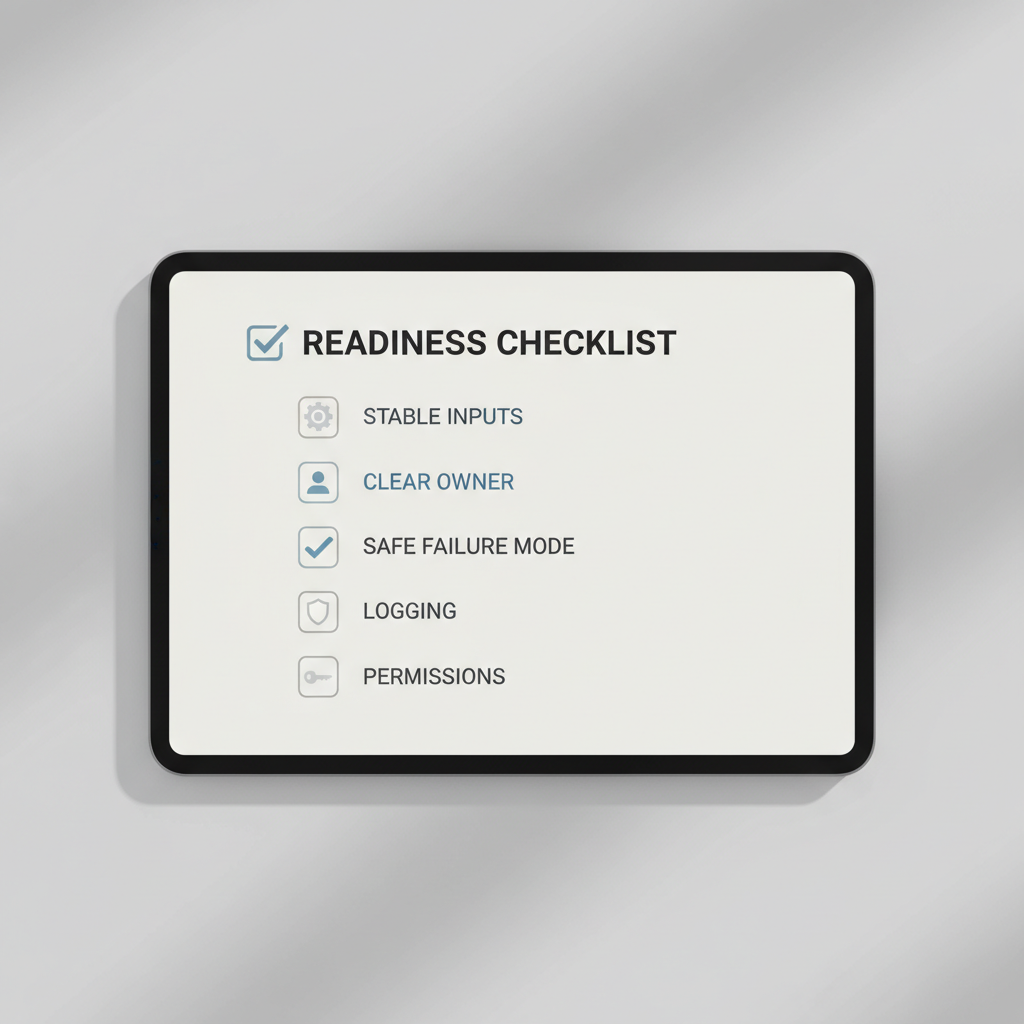
Key point: “Ready” rarely means perfect data. It usually means you have a reliable intake path and a way to handle exceptions without drama.
Practical AI automation use cases that reduce repetitive work (without a rebuild)
These are common starting points because they sit on top of existing tools and remove manual steps rather than changing the process design.
1) Intake triage and routing
AI-driven RPA solutions often shine at the top of the funnel: classify inbound emails/forms, extract key fields, and route to the right queue. You keep your ticketing system, you just stop hand-sorting requests.
- Examples: IT requests, HR case routing, vendor onboarding queues, legal intake categorization
2) Document understanding and data extraction
For invoices, W-9s, COIs, contracts, and statements, machine learning automation tools can extract structured fields, then pass results into your ERP/CRM. Humans review low-confidence items.
- Best when: document formats vary, and “copy/paste” dominates the workday
3) Meeting-to-actions and follow-ups
This is a low-risk win: summarize meetings, extract decisions, create tasks, and draft follow-up emails. It saves time without changing any approval chain.
- Guardrail: require human send for external emails, especially customer-facing
4) Reporting and reconciliation
Teams spend hours reconciling numbers across spreadsheets, dashboards, and exports. AI can draft variance explanations, spot anomalies worth checking, and generate a first-pass narrative for stakeholders.
- Reality check: treat outputs as “analysis suggestions,” not final truth
5) Knowledge retrieval for frontline teams
Instead of forcing a new wiki, many teams layer AI on top of existing repositories to answer “where is the latest policy?” or “what is the approved language?” This reduces interruptions and Slack pings.
- Strong fit for: customer support, IT helpdesk, HR operations
Tooling choices: no-code vs RPA vs AI agents (a decision table)
The tool stack matters less than the operating model, but picking the wrong approach can create security friction and maintenance headaches. Here’s a practical comparison.
| Approach | Best for | Where it can fail | What to require |
|---|---|---|---|
| No-code AI automation platforms | Quick wins across SaaS tools, lightweight workflows | Sprawl, inconsistent governance, brittle connectors | Central templates, access controls, change reviews |
| AI-driven RPA solutions | Legacy apps, repetitive UI work, structured processes | UI changes break bots, slow scaling without standards | Monitoring, versioning, exception handling |
| AI agent automation | Multi-step tasks with judgment, tool use, and context | Scope creep, unpredictable actions without guardrails | Tool permissions, policies, sandboxing, audit logs |
| Intelligent process automation (combined) | End-to-end processes with both rules and AI steps | Overengineering early, complex ownership | Process owner, KPIs, phased rollout |
If you are building an enterprise AI automation strategy, this table is the “pick your battles” view: start with the simplest tool that can meet security and audit requirements.
Implementation playbook: reduce risk and keep teams productive
Most teams succeed when they treat AI Automation like an operational change, not a shiny feature rollout.
Start with one workflow, but map the whole chain
Pick a single repetitive slice, then document upstream and downstream impacts: who approves, where records live, what happens when something is wrong. This is where “without breaking workflows” becomes real.
- Define boundaries: what the automation will never do (e.g., approve spend, send legal commitments).
- Define escalation: who gets the task when confidence is low or data is missing.
Design for human-in-the-loop by default
Autonomous task automation is tempting, but the safer early pattern is “AI proposes, humans dispose.” You can always relax controls later once the error modes are boring and well understood.
- Use confidence thresholds for extraction/classification.
- Require approvals for external comms and system-of-record updates.
Make observability non-negotiable
Logs are not just for engineers. Ops leaders need to answer: what changed, who changed it, and what customers or cases were affected.
- Audit trail: prompt/version, inputs, outputs, tool actions, timestamps.
- Monitoring: failure rates, exception volume, time saved estimates.

According to OWASP, automation and AI integrations should be built with strong security controls in mind. In plain terms, treat your automation like a privileged user that must be constrained, monitored, and regularly reviewed.
Common mistakes (the ones that waste weeks)
- Automating a broken process: AI makes it faster, not better, and now you have faster mistakes.
- Skipping stakeholder review: legal, security, and compliance objections arrive late, when rework is most expensive.
- No ownership after launch: bots and agents drift as tools change, someone must own maintenance.
- Prompt-only “solutions”: if the workflow needs validation, permissions, and rollback, prompts alone won’t carry it.
- Overpromising autonomy: early wins come from assisted automation, not from replacing entire roles.
Quick sanity check: if you cannot describe what happens when the AI is wrong, you are not ready to let it run unattended.
When to bring in experts (and what to ask them)
Some situations benefit from specialist support, not because your team lacks skill, but because the risk surface is larger.
- Regulated data: healthcare, financial services, or sensitive PII where access and retention rules are strict.
- Deep legacy automation: brittle desktop apps, Citrix environments, or heavy ERP customization.
- Enterprise-wide rollout: multiple business units, shared governance, and cross-functional KPIs.
Useful questions to ask vendors or internal platform teams:
- How do you handle role-based access and least privilege for bots/agents?
- What is your rollback plan if an automation writes incorrect data?
- How do you test changes when underlying apps update?
- Can we export logs for audits and investigations?
Conclusion: keep the workflow, remove the busywork
The most durable AI Automation programs feel almost boring: small steps, strong controls, and measurable reductions in repetitive work. If you want momentum without disruption, pick one workflow with clear ownership, add AI where humans mostly copy, sort, or draft, then scale only after exceptions and logging look clean.
Action ideas for this week: choose one intake queue that creates constant manual sorting, then pilot AI triage with a human review step; in parallel, define the “never automate” boundaries so stakeholders can say yes faster.
FAQ
What is the difference between AI workflow automation and traditional automation?
Traditional automation follows fixed rules, while AI workflow automation can interpret messy inputs like emails or documents. In many teams, the winning pattern is combining both: rules for control, AI for interpretation.
Is AI agent automation safe for enterprise use?
It can be, but safety depends on scope and guardrails. Enterprises usually start with constrained agent permissions, mandatory logging, and a clear human escalation path before expanding autonomy.
Where do AI-driven RPA solutions fit compared to API-based automation?
RPA is often chosen when APIs are missing or legacy systems dominate. If solid APIs exist, API-based automation is usually easier to maintain, while RPA becomes the fallback for UI-only systems.
How do we measure ROI without making up time-saved numbers?
Track operational metrics you already trust: cycle time, backlog size, exception rate, rework, and SLA performance. Time saved is fine as an estimate, but it should be grounded in observed before/after samples.
Do no-code AI automation platforms create governance problems?
They can if every team builds its own flows with no standards. A lightweight center of excellence, shared templates, and change review practices usually prevent the worst sprawl.
What are good first tasks for autonomous task automation?
Bounded tasks with clear success criteria, like compiling a weekly status draft from approved sources or preparing a checklist for an onboarding ticket. Avoid anything that can create financial or legal commitments early on.
What data should we avoid sending to AI tools?
That depends on your policies and vendor controls, but many companies restrict sensitive PII, credentials, and regulated data. If you are unsure, involve security or compliance and confirm retention and access settings.
How do we prevent AI automation from degrading over time?
Assume change will happen: apps update, forms evolve, categories drift. Put an owner on monitoring, review exceptions weekly, and version prompts/workflows like you would any production system.
If you are trying to reduce repetitive work but want to keep your current tools and approvals intact, it may help to map one workflow end-to-end and identify the single most “copy, paste, route, repeat” step, that’s often the cleanest starting point for AI Automation without organizational friction.